







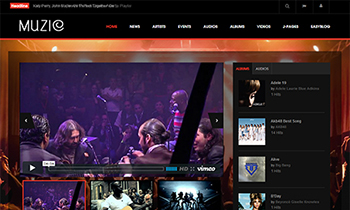
Responsive Joomla template for Entertainment & Music
The Ultimate Responsive Joomla template for Joomla 3 & Joomla 2.5 - JA Muzic is well tuned for Music, Entertainment, and Digital Media to rock it out. Supporting Easyblog, RTL language layout and featuring a brand new Joomla music extension, just to serve JA Muzic's justice alone.
Clean and bold design, JA Muzic just screams out loud its content effortlessly. Incorporated with animation effects for images & texts, dynamic blocks and modules, the content just simply stands out. JA Muzic comes in 5 colors choices, along with 10 bonus pages and a completely new developed Joomla music extension - JA AV Tracklist.
You do not only own a nice looking and functional template but also a complete Joomla template solution for your media site. It's JA Muzic, your Joomla key to Media & Entertainment this fall.