



Slide Background
01. Slide Background
Every slide includes a background, which can be a picture or solid color.
Step 1

To change the background click on the label bar and in the layer window select the style tab.

Step 2

Choose a source from the background top tab then upload an image or pick a background color.

Build & Design
02. Build & Design
Build any layout with layers and customize your designs limitlessly.
Step 1

To add a layer, click the green plus button in the left sidebar and select the type of layer.

Step 2

Select any layer and you can edit its content and style properties in the layer window.

previous arrowprevious arrow
next arrownext arrow
Slide Background
Build & Design
previous arrow
next arrow
Shadow

Responsive Joomla template for Joomla 3 & Joomla 2.5

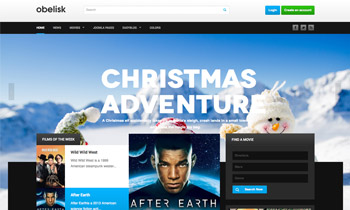
JA Obelisk fits right in with the home entertainment, media and movies theme. It is built on the latest version of T3 Framework, supports EasyBlog component and styles for K2 component.

JA Obelisk will spice up your Joomla site with the holiday season spirit. The full width background slideshow located on your masshead will sure bring any detail to the attention. In case anyone feel lost, they now all can count on the search bar up top. You can certainly sort things out in seconds.

Comes in 5 colors scheme and 8 bonus pages, JA Obelisk is all you need to get everything set up for this occasion.